
How to Post on All Social Media at Once (Without Breaking Each Platform's Rules)
How to post on all social media at once in 2026, from one composer to Instagram, Facebook, LinkedIn, X, Threads, YouTube and Pinterest, while respecting each platform's limits.


To post on all social media at once, write one post in a multi-platform scheduler, select your channels, adjust the version for each platform, and publish or schedule them together. The key word is adjust: each platform has its own limits, formats and habits, and a post that ignores them looks lazy at best or fails to publish at worst.
This hub guide covers the limits for each platform, a cross-posting checklist, and links to a step-by-step guide for every network.
Platform limits at a glance
| Platform | Text limit | Media | Must-have |
|---|---|---|---|
| 2,200 characters | Image, carousel (up to 10), Reel | Professional account | |
| Facebook Page | Very long posts allowed | Up to 10 items | A Page (not a profile) |
| 3,000 characters | Up to 9 items | Hook in the first 2 lines | |
| X | 280 characters (standard) | Up to 4 items | Single post (threads differ) |
| Threads | 500 characters | Up to 10 items | Short, conversational |
| YouTube | 5,000-character description | 1 video | A video and a title |
| Title + description | 1 image or video | A board |
Character and media limits as shown in Foxli's Checks panel and platform docs in October 2026; platforms change them occasionally.
How to post everywhere at once (step by step)
- Connect your channels once: Instagram, Facebook Page, LinkedIn (profile and/or Page), X, Threads, YouTube and Pinterest.
- Write the master post in the composer: the core message, written for the most demanding platform first (usually X's 280 characters or Threads' 500).
- Select the channels you want. The composer shows a tab for each channel next to Master Content.
- Adjust per channel: a longer story for LinkedIn, hashtags for Instagram, a title for YouTube, a keyword-rich description for Pinterest.
- Check the Checks panel. It flags anything that would fail: text too long, too many images, a missing YouTube video or title, a missing Pinterest board.
- Schedule or queue the whole set.
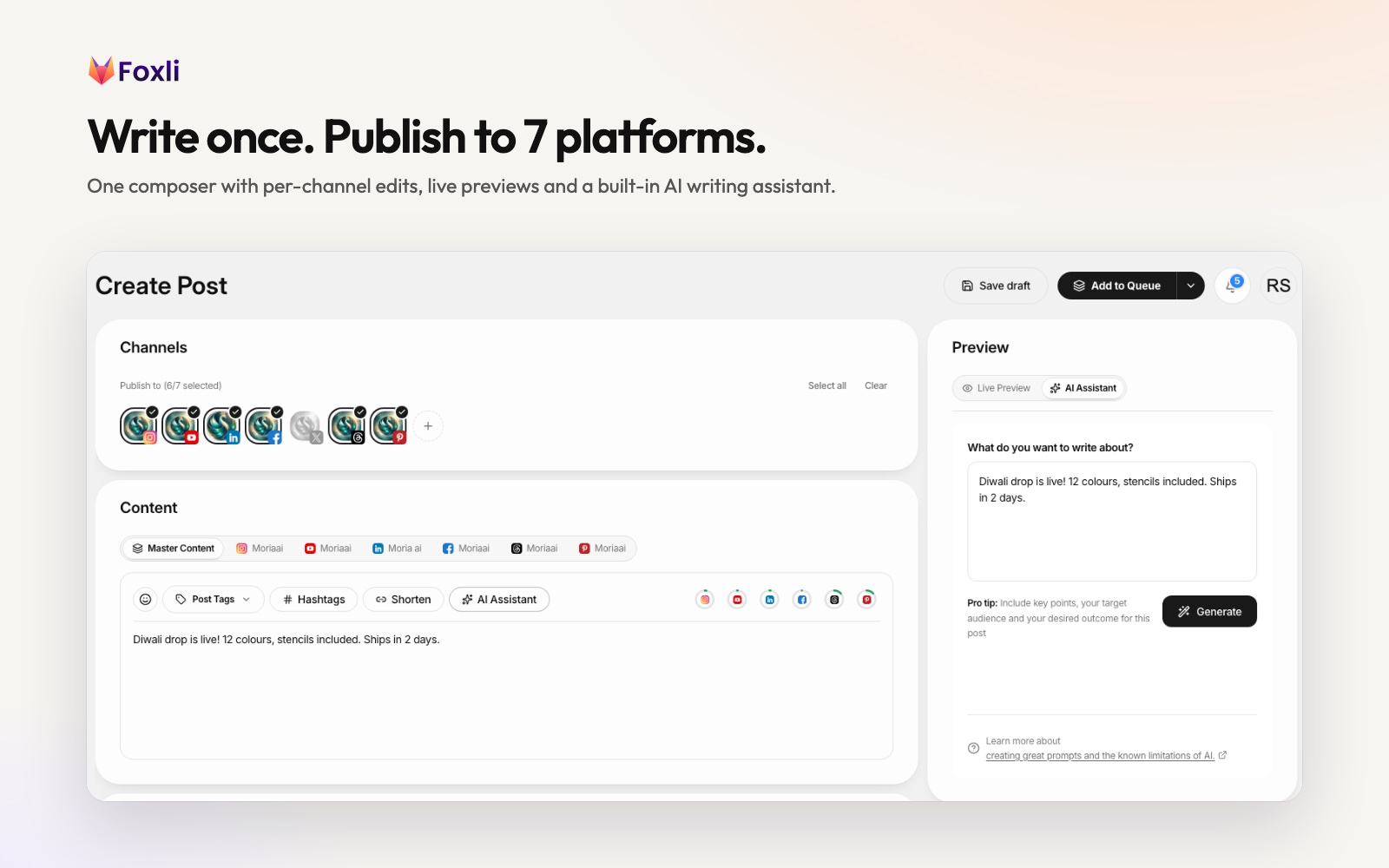
From the founder: Foxli's composer is built as "Master Content plus one tab per channel": write once, then spend 30 seconds per platform making it fit. Publishing the identical post everywhere is the most common cross-posting mistake. Pushpendra Singh Rathor, founder of Foxli
Cross-posting checklist
- Format: vertical video (9:16) for Reels, Shorts and video Pins; 4:5 images for Instagram feed; 1:1 or 4:5 for LinkedIn.
- Length: trimmed for X and Threads; fuller story for LinkedIn and Facebook.
- Hashtags: 3–5 relevant ones on Instagram; 1–3 on LinkedIn and X; none needed on YouTube titles.
- Links: fine on LinkedIn, Facebook, X and Pinterest; on Instagram use a comment-to-DM CTA or link in bio instead.
- Mentions: handles differ per platform; check them.
- Timing: schedule in your audience's time zone (IST for India) and stagger by platform if needed.
What to avoid
- Identical text everywhere. Platforms (and people) notice.
- Posting a Reel to YouTube without a title. YouTube rejects it.
- Long LinkedIn posts on X. They'll be cut or fail.
- Expecting group or profile posting on Facebook. Tools can publish to Pages only.
- Unofficial "post everywhere" bots that ask for passwords.
Step-by-step guides for each platform
- Instagram: schedule Instagram posts from PC
- Facebook: schedule and automate Facebook Page posts
- LinkedIn: schedule LinkedIn posts on a Page and profile
- X: schedule tweets and X threads
- Threads: how to schedule Threads posts
- YouTube: schedule YouTube Shorts
- Pinterest: schedule Pinterest Pins and video Pins
Which tool?
If you want one composer for all 7 platforms, priced in rupees per channel with a free plan, try Foxli. For comparisons, see the best social media management tools in 2026 and tools for agencies.